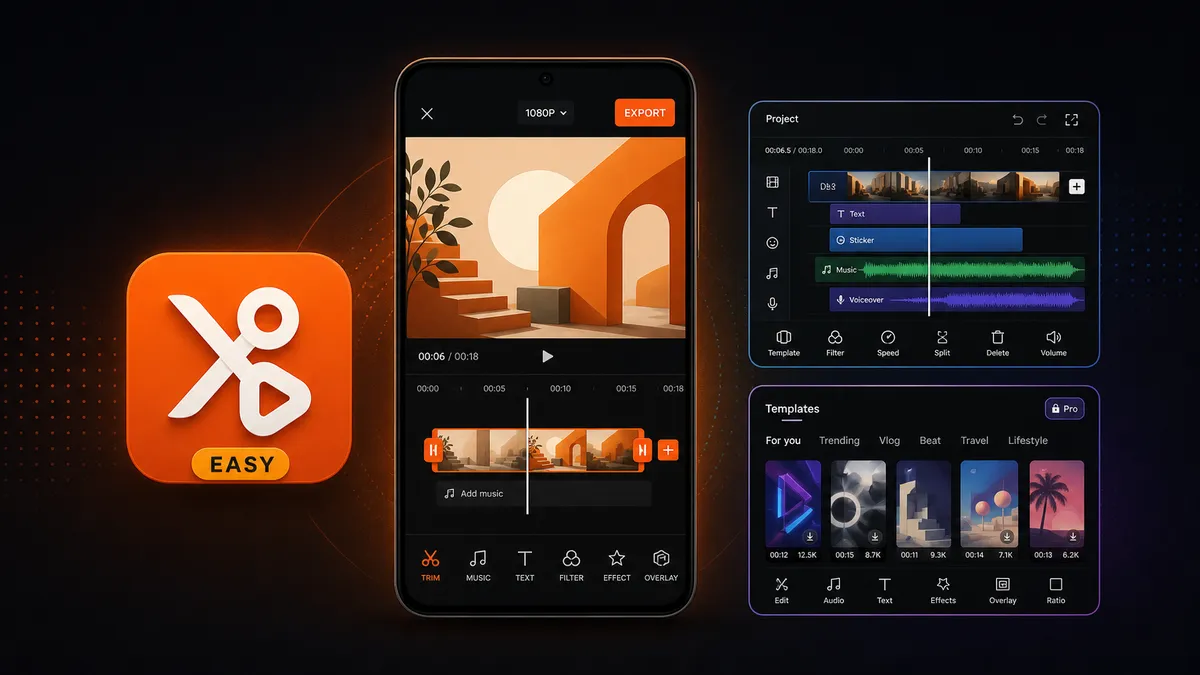
Start with YouCut if you want simple trimming, music, text, ratios, and exports without a steep learning curve.
Download YouCut Video Editor
Video Players category · Beginner friendly · Trim, music, text, ratio, export
When beginners ask for a video editing app on Android, they usually do not want the most powerful app. They want an app that helps them make the first real edit without getting lost: cut the boring part, add music, add a title, choose 9:16 or 1:1, and export something that looks clean enough to share.
That is why YouCut is the best first install for most beginners. VN is better when you outgrow simple edits and want more timeline control. CapCut is strongest when you want templates and trend effects. But if the question is "what should I learn first?", YouCut has the gentler learning curve.
1
What Beginners Actually Need From a Video Editor
▼
A beginner-friendly video editor should make the first edit obvious. The user should not need to understand keyframes, nested timelines, color scopes, motion graphics, or template systems before they can make a simple clip.
The first-edit checklist
- Trim the start and end of a clip
- Split one clip into two parts
- Add background music or adjust original audio
- Add simple text or captions
- Change aspect ratio for Shorts, Reels, TikTok, or YouTube
- Export without confusing quality settings
If an app handles those steps clearly, it is a good beginner app. Extra tools are useful later, but they should not block the first edit.
2
Best First App: YouCut
▼
YouCut works well for beginners because it keeps the editing path short. Import a clip, trim it, add music, add text, choose a ratio, export. The app does not force users to think in layers or advanced timeline concepts before they understand basic editing.
That makes YouCut especially good for casual Android editing: family videos, class projects, quick social clips, product demos, travel clips, WhatsApp status videos, and short YouTube or TikTok posts. The goal is not to build a film studio on your phone. The goal is to finish a clean edit today.
Install YouCut if
- This is your first video editing app
- You mainly need trim, split, text, music, filters, and aspect ratios
- You want a simple interface instead of a professional timeline
- You edit short clips for social media or personal use
- You want to learn editing basics before moving to a stronger app
3
When VN Is Better Than YouCut
▼
VN Video Editor is the better app when you already understand the basics and want more control. It feels closer to a real timeline editor: stronger clip organization, more room for layered edits, better control over pacing, and a more serious editing workflow.
That also means VN can feel heavier for someone who has never edited a video before. It is not hard, but it asks the user to think more like an editor. For many beginners, that is a second-step app, not the first one.
Use VN after YouCut if you start wanting more timeline control, longer projects, more precise edits, or a free no-watermark editor with room to grow.
4
Why CapCut Is Not Always the Best Beginner Choice
▼
CapCut is powerful for templates, trending effects, auto captions, and short-form social content. If your goal is to copy a trend or use a ready-made template, CapCut may be the fastest app.
But beginners asking for an easy editor often want the opposite: fewer panels, fewer Pro prompts, fewer AI tools, and less pressure to understand every effect. CapCut can feel busy when the user only wants to cut a clip and add music.
Use CapCut first only if templates and trend effects are the main reason you are editing. If you want to learn basic editing, YouCut is calmer.
5
The Best Learning Path for Beginners
▼
For most new editors, the best path is not to install the most advanced app first. Start with the app that makes the first edit easy, then move up only when you feel limited.
Start with YouCut to learn the basic loop: import, trim, split, add music, add text, choose a ratio, and export. Once that feels too simple, move to VN for stronger timeline control and more serious projects.
Use CapCut when your goal is template-driven social content instead of learning the editing workflow from the ground up.
Quick Decision Table
| Your situation |
Best app |
Why |
| First time editing a video |
YouCut |
Simple trim, music, text, ratio, and export workflow |
| You want more timeline control |
VN |
Better once you understand basic editing |
| You want templates and trends |
CapCut |
Strong for template-driven social content |
| You want the easiest learning path |
YouCut |
Start simple first, then move to VN if you need more control |
Verdict: Start With YouCut, Upgrade to VN Later
If you are new to video editing on Android, start with YouCut. It teaches the basic workflow without overwhelming you: trim, split, add music, add text, set the ratio, export. That is enough for most beginner videos.
Move to VN when you want more control. Use CapCut when templates matter more than learning editing. But the safest first app for beginners is YouCut.
FAQ: Beginner Video Editing Apps on Android
What is the best video editing app for beginners on Android?
YouCut is the best first video editing app for most Android beginners because it keeps the workflow simple: trim clips, add music, add text, choose an aspect ratio, and export without a steep learning curve.
Is YouCut easier than VN?
Yes. YouCut is easier for first-time editors because it focuses on simple edits and a lighter interface. VN is better once you want more timeline control and layered editing.
Is CapCut good for beginners?
CapCut can be good if you mainly want templates, trending effects, and auto-caption workflows. It is not always the easiest first app because the interface has more features, Pro prompts, and trend-driven tools.
Should beginners use YouCut or CapCut?
Use YouCut first if you want to learn basic editing with fewer distractions. Use CapCut first only when templates, trending effects, and auto-caption workflows are the main reason you are editing.
When should I switch from YouCut to VN?
Switch to VN when basic trimming, music, and text are no longer enough and you want stronger timeline control, more layered editing, and a cleaner long-term editing workflow.
Related on MODDROID
Ready to make your first clean edit? Download YouCut Video Editor.
Get YouCut Video Editor on MODDROID