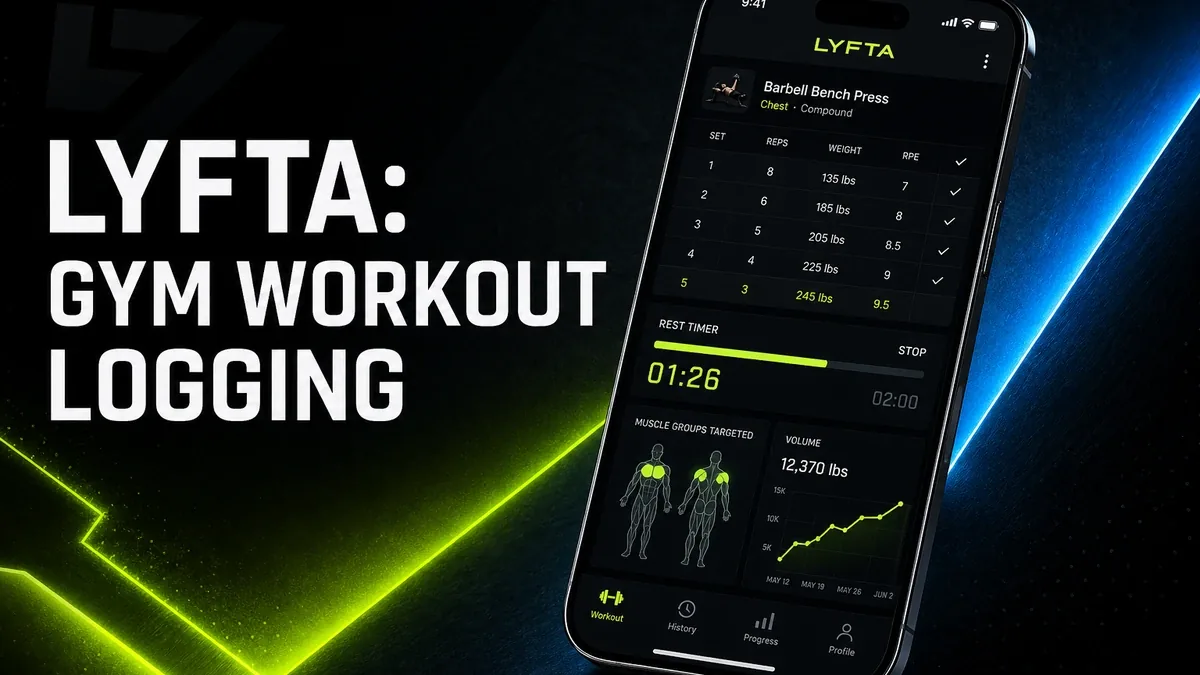
Gym apps feel useful when they make progression visible. They feel less useful when logging sets starts taking more attention than the lift you came to complete.
Download Lyfta MOD APK - Premium Unlocked
Lyfta · Workout Tracker · Strength Training · Gym Logging · Android 2026
The Real Decision Is Not Whether Tracking Feels Motivating
Fitness apps are easy to judge by how motivating they feel in the first week. Charts appear. Personal records look official. The workout suddenly has a history. That only helps if the log supports progression. It becomes the wrong tool when the phone becomes another station in the gym and the session slows down around data entry.
The core thesis of this article is simple: Lyfta is worth using when you need structured strength logging to keep overload and progression honest, but it is the wrong fit when workout tracking becomes more work than training. The best gym app is not the one with the densest analytics. It is the one that keeps sets moving while still making progress visible.
Why Strength Logging Is Different from Casual Activity Tracking
Step counters answer whether you moved enough across a day. Sleep apps answer whether recovery looked consistent. Strength training asks a different question: are the sets, reps, and loads progressing across weeks in a way you can trust?
That is why Lyfta should not be judged like a pedometer. The value is not a daily score. The value is a usable training record that prevents you from guessing what you lifted last time or repeating the same stagnant routine without noticing.
The friction begins when logging becomes ceremonial. If every rest interval turns into menu tapping, the tracker is no longer supporting the workout. It is interrupting it.
What Lyfta Actually Does Better
Lyfta MOD APK makes more sense when your gym problem is missing structure and progression history rather than missing general health metrics. Logging sets, following programs, and seeing strength trends are the center of that value.
What you gain: clearer workout history, stronger progression visibility, and a more intentional way to run strength routines without relying on memory alone.
What you lose: some session simplicity. Once every set is logged, the phone becomes part of the workout rhythm whether that helps or slows you down.
Lyfta is strongest when progression needs a record. It is weaker when you mainly need lighter movement awareness or already train well from a paper note or coach plan.
Best For, Not Ideal For
Best for: lifters who need set/rep/weight history, want program structure, and benefit from seeing strength progress across weeks.
Not ideal for: users who only want casual step or calorie awareness, or trainees who already lose focus whenever the phone enters the workout.
Common mistake: installing a gym logger because charts feel productive, even when the real bottleneck is consistency of showing up rather than missing analytics.
Biggest cost: logging overhead. Better records only help if they stay fast enough to leave room for the actual lifts.
Before You Choose Lyfta
Before choosing Lyfta, ask whether your friction is forgotten progression or broken attendance. If you train regularly but cannot remember loads and stall without noticing, a strength logger helps. If you barely get to the gym, denser tracking will not create the habit by itself.
If your issue is everyday movement rather than gym progression, our pedometer decision guide is the better next read. For install friction, keep the APK parsing error fix and the MOD APK safety guide nearby.
Our Honest Recommendation
Choose Lyfta when strength progression needs a clean training record and logging stays fast enough for the session. Skip it when the phone will become the slowest part of the workout.
In short: Lyfta is better for progression history than for workout theater.
How to Download Lyfta MOD APK
Since the modded version is not available on the Google Play Store, you need to install it manually. Follow these steps:
- Enable Unknown Sources: Open Android settings, go to "Security" or "Apps," and enable "Install from Unknown Sources."
- Download the APK: Use the app page link to get the latest Lyfta MOD APK version.
- Remove Conflicting Versions: Uninstall the official build first if installation fails due to signature conflict.
- Install the APK: Tap the downloaded file and complete installation.
- Judge It Between Sets: Use it for one real workout and ask whether logging clarified progression, or whether it mostly stole rest time.
A gym tracker is only helping if the next session gets smarter without making this session slower.
FAQ
Is a workout tracker worth using in the gym?
Yes, if you need reliable set and load history to progress. It is less useful if logging slows the session more than it improves the next one.
Who should use Lyfta?
Lifters who want structured strength logging, program support, and clearer progression over weeks.
When is Lyfta the wrong choice?
When you mainly need casual activity tracking, or when phone logging already breaks your training rhythm.
How is this different from a pedometer app?
Pedometers track daily movement. Lyfta is about gym progression through sets, reps, loads, and training history.
If your gym problem is forgotten progression rather than missing motivation graphics, Lyfta is one of the clearer Android strength-logging options.





