This is a dialog window

How to Use TREBEL Outside Supported Countries (2026 Guide)

May 8, 2026
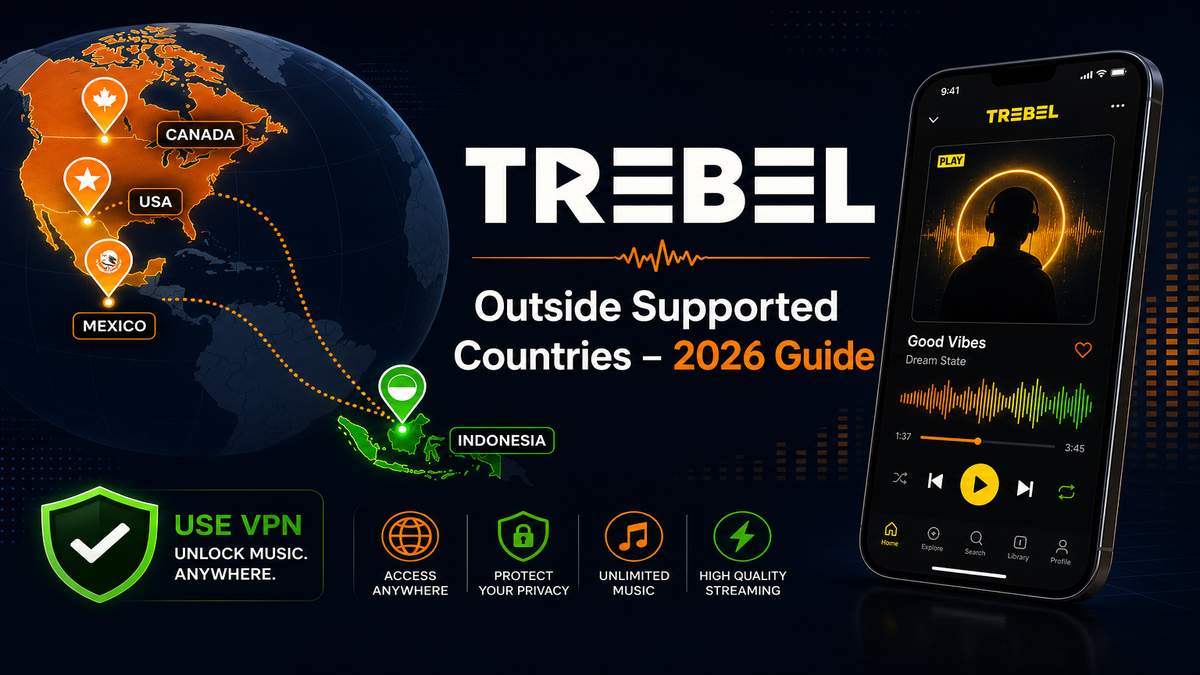
TREBEL outside supported countries guide — region and VPN setup hero banner

Get the latest TREBEL APK, then use the steps below to fix region-related playback issues

Open Trebel - App Page & Download

Music category · Version notes and download in one place

Many users install TREBEL successfully but later discover that songs only play for 30 seconds, downloads fail, or the app says content is unavailable. In most cases, this happens because TREBEL officially supports only a limited number of countries. If you are outside those regions, the app may restrict streaming and offline playback.

This guide explains how users typically fix region-related TREBEL issues and improve playback stability outside supported countries.

Before you start: quick checklist

  • Confirm you are outside a supported country (US, Mexico, Canada, Indonesia).
  • Test on stable home Wi-Fi before troubleshooting VPN or network settings.
  • Disable ad blockers, Private DNS, and firewall apps temporarily.
  • Make sure your TREBEL APK is up to date on the Trebel app page.

Why TREBEL Does Not Work in Some Countries

TREBEL uses regional music licensing agreements. Because of this, the app checks several signals to determine whether full playback should be allowed:

  • IP address location
  • Network region
  • VPN quality
  • Account activity
  • Streaming authorization

If your region is unsupported, you may experience:

  • Songs stopping after 30 seconds
  • Unavailable tracks or playlists
  • Login issues
  • Failed downloads
  • Endless buffering

Which Countries Officially Support TREBEL?

TREBEL availability changes over time, but the app is mainly optimized for:

  • United States
  • Mexico
  • Canada
  • Indonesia

Users outside these countries often encounter playback restrictions. If your IP address or account region does not match one of these markets, full song access may be limited.

How to Use TREBEL Outside Supported Regions

1. Use a Stable VPN

The most common solution is using a VPN connected to a supported country. Recommended regions: United States, Canada, Mexico.

Avoid:

  • Overloaded free VPN servers
  • Unstable proxy apps
  • Frequently changing IP addresses

A stable, consistent connection usually works better than constantly switching servers.

2. Clear TREBEL Cache After Changing Region

TREBEL may keep old region data stored locally. On Android:

Settings → Apps → TREBEL → Storage → Clear Cache

Then reopen the app after connecting the VPN. Sometimes you also need to clear app data completely before the new region is detected properly.

3. Disable GPS Location

Some devices still expose local region information even when VPN is enabled. Try disabling:

Settings → Location → Off

Then restart TREBEL. This can help prevent region mismatch detection.

4. Avoid DNS and Ad Blocking Tools

TREBEL depends heavily on ad-based music authorization. Apps or services like AdGuard, Private DNS, firewall apps, Pi-hole, or modified hosts files may interfere with playback verification.

If songs fail to load, temporarily disable these tools and test again.

5. Use a Reliable Network Connection

Weak or unstable networks can trigger playback problems. TREBEL may stop playback if ads fail to load, streaming verification times out, or the connection frequently changes.

For better stability:

  • Avoid public Wi-Fi
  • Avoid restricted school or work networks
  • Use stable mobile data or home Wi-Fi

6. Create a Fresh Account If Needed

Sometimes older accounts become tied to unsupported regions — especially if the account was created without VPN, regions changed repeatedly, or suspicious login activity was detected. Using a fresh account with a stable supported region sometimes resolves playback issues.

Common TREBEL Problems Outside Supported Countries

TREBEL Only Plays 30 Seconds

Usually caused by an unsupported IP region, weak VPN detection, or failed playback verification. Switching to a better VPN server often fixes this. See also: Why Does TREBEL Only Play 30 Seconds?

TREBEL Songs Are Unavailable

This usually means licensing restrictions, an unsupported country, or failed regional verification. Not all songs are globally available even with a VPN.

TREBEL Downloads Not Working

Offline downloads may fail when ads cannot load, VPN disconnects during the download, or region checks fail mid-session. Maintaining a stable connection throughout the download is important.

Best Practices for Stable TREBEL Usage

For fewer playback problems:

  • Use one consistent VPN region
  • Avoid free proxy apps
  • Keep TREBEL updated
  • Disable aggressive ad blocking
  • Use stable internet
  • Avoid switching countries constantly

FAQ: Using TREBEL Outside Supported Countries

Can TREBEL work without VPN?

Yes, but usually only inside officially supported countries. Outside supported regions, many users rely on VPN connections for stable playback.

Why does TREBEL stop after 30 seconds?

This is commonly caused by unsupported countries, VPN detection, failed streaming verification, or an unstable network. TREBEL may fall back to preview-only playback when verification cannot complete.

Does TREBEL support offline listening?

Yes, TREBEL includes offline playback features, but availability may depend on region and network verification completing successfully before download.

Is TREBEL available worldwide?

No. TREBEL is not officially supported in all countries. Availability depends on regional licensing agreements and is mainly optimized for the United States, Mexico, Canada, and Indonesia.

Get TREBEL for Android (Music)

Get Latest Trebel on MODDROID

🔥 Looking for more mod APKs? Browse the most popular downloads in 2026. View Popular →
56.5K Shares
twitter facebook tumblr reddit quora medium
