Start with the latest Deezer APK, then use the checks below to fix wrong-song playback
Open Deezer MOD APK - App Page & Download
Music category · Premium unlocked details and download in one place
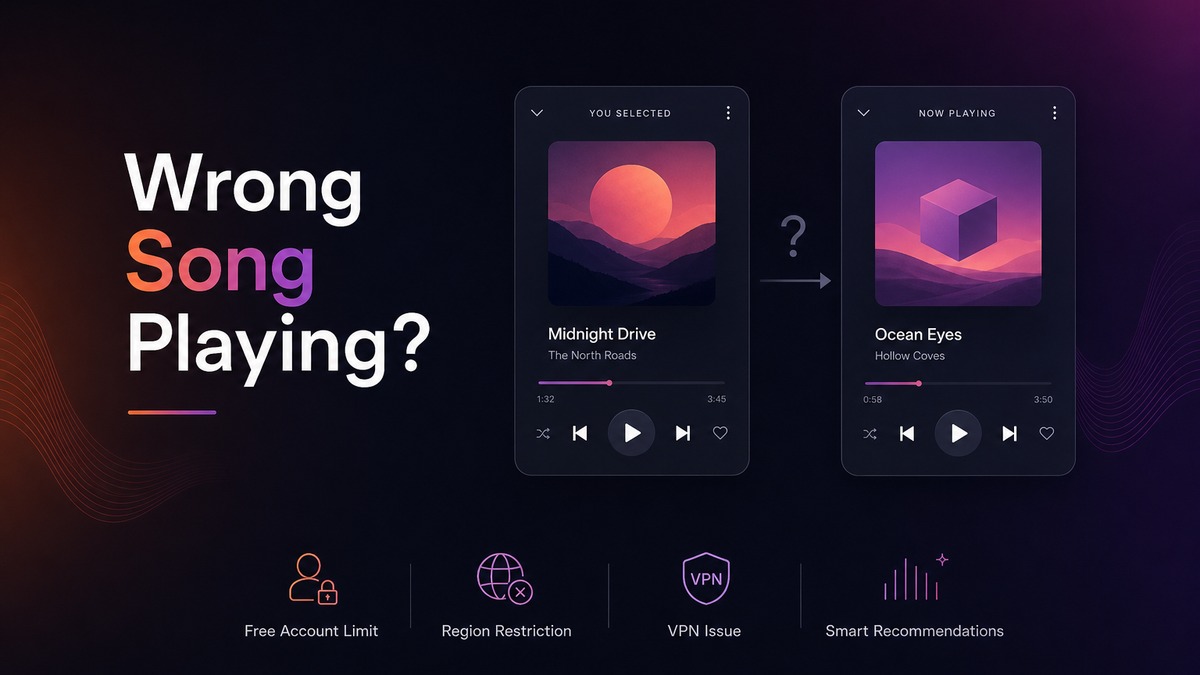
If Deezer plays a different song than the one you selected, it can feel like the app ignored your tap. In reality, Deezer may be reacting to account limits, regional music rights, VPN location checks, or a recommendation queue that was already active.
This guide explains the most common causes on Android and how to fix them before you decide whether to switch to the Deezer MOD version on MODDROID.
Quick checklist before you troubleshoot
- Turn off Shuffle and Autoplay, then try the song again from its album page.
- When a song plays wrong from search results, open the album page first and play it from the tracklist.
- Disable VPN or proxy apps temporarily to test your real region.
- Check if the same song is grayed out, skipped, or unavailable on WiFi and mobile data.
- Clear Deezer cache if the issue only happens with downloaded or recently played music.
- Open the Deezer MOD APK page if you want a more flexible Android playback option.
1
Problem symptoms: what users usually see
▼
The typical symptom is simple: you tap one Deezer track, but another song starts playing. Sometimes it is the next track in the playlist. Sometimes it is a similar song by the same artist. In other cases, Deezer starts a radio-style mix instead of the exact song you selected.
You may also see the selected song flash briefly on the Now Playing screen before Deezer skips forward. That usually means the app tried to load the track but decided it could not play it in your current session.
Pay attention to where the problem happens. Wrong-song playback from Flow, radio, smart mixes, or recommendation shelves usually means a different thing than wrong-song playback from an album page or your downloaded library.
2
Why it happens most often from search results
▼
This issue most often appears when users search for a song and tap one item from the search results list. Search results are not always the same as opening the official album page. A result can point to a preview, a region-limited version, a radio entry, a remix, a duplicate upload, or a recommendation shortcut built around the song.
That means Deezer may receive your tap as a request to start a broader playback context, not just one exact track. If the selected result is unavailable, restricted, or tied to a smart mix, Deezer may skip it and play the next available or related song instead.
The best test is to avoid the search result list for a moment. Search the song, open the artist or album page first, then tap the track from the album tracklist. If it plays correctly there, the problem was likely caused by the search result context rather than the song itself.
3
Free account limits: direct song playback may be restricted
▼
A free Deezer account may not always behave like full on-demand playback. Depending on your country, device, and current Deezer rules, tapping a specific song can start a shuffled playlist, artist station, or related track instead of the exact title.
This is one of the most confusing cases because the app is not necessarily crashing or malfunctioning. It may be enforcing free-tier playback behavior. Users usually notice it most on mobile, especially when selecting songs from search results, charts, public playlists, or recommendation modules.
To confirm this cause, test the same song with another account, on Deezer web, or from a different device. If exact playback works in one place but not on your Android app, account-level playback limits are likely involved.
4
Regional copyright restrictions: the selected song may not be playable
▼
Deezer's catalog is controlled by music licensing agreements, and those agreements change by country. A song can appear in search, an imported playlist, or an old favorite list while still being unavailable for playback in your current region.
When a track is unavailable, Deezer may skip it and move to the next playable song. This can look like Deezer chose the wrong song, but the real issue is that the selected track is blocked, expired, or not licensed for your location.
Look for warning signs such as grayed-out titles, missing album artwork, instant skips, or repeated failure on both WiFi and mobile data. Searching for another version of the same song, such as a remaster, radio edit, deluxe edition, or compilation release, often fixes the problem.
5
VPN problems: your location may not match your account region
▼
A VPN can make Deezer's catalog checks inconsistent. Your Deezer account may be registered in one country, your payment or profile region may point to another, and your VPN IP may route through a third location. That mismatch can affect what Deezer thinks you are allowed to play.
Free VPNs and crowded proxy IPs make the problem worse because streaming services often flag them as suspicious or unreliable. If Deezer cannot confidently verify your region, it may skip the selected track or start a different recommendation that is available in the detected region.
The fastest test is to turn off VPN, force-close Deezer, reopen it, and play the same song from its album page. If the correct song starts without VPN, location routing was probably the cause.
6
Deezer Smart Recommendations: the app may be continuing a personalized mix
▼
Deezer is built around discovery features such as Flow, artist radio, autoplay, and Smart Recommendations. These features are designed to keep music going based on your taste, not always to play one selected track in isolation.
If you tap a song inside Flow, a mood mix, an artist station, or a recommendation shelf, Deezer may treat that tap as a signal to build a personalized queue around the track. The next thing you hear might be a related song rather than the exact item you expected.
For exact playback, open the song's album page or artist page and start it there. Also check the Now Playing queue, Shuffle, and Autoplay settings. If the queue is full of recommendations, clear it by stopping playback and restarting Deezer.
7
How to fix Deezer playing a different song
▼
Start with the simple fixes first. They solve most cases where Deezer plays a different song after you tap a track.
- Turn off Shuffle from the Now Playing screen.
- Disable VPN or proxy apps, then restart Deezer.
- If you selected the song from search results, open the artist or album page first, then play the track from the album tracklist.
- Check whether the track is grayed out or unavailable in your region.
- Clear Deezer cache in Android app settings.
- Remove and re-download offline tracks if the issue only happens offline.
- Sign out, restart your phone, and sign back in.
- Update Deezer to the latest Android version.
If the problem comes from free account limits or regional copyright restrictions, basic troubleshooting may not fully solve it. In that case, many Android users look for a more flexible Deezer APK experience.
8
Try Deezer MOD APK on MODDROID
▼
If you want fewer playback interruptions and more control on Android, try the Deezer MOD APK version available on MODDROID. The app page includes the latest version details, feature notes, screenshots, and download information in one place.
Deezer MOD APK is especially useful for users who want a premium-style music experience without constantly running into shuffle limits, account restrictions, or repeated playback interruptions.
Use the download button below to open the Deezer MOD APK page on MODDROID and install the latest Android version.
FAQ
Why does Deezer play a random song instead of the one I chose?
The most common reasons are free account playback limits, regional copyright restrictions, VPN location conflicts, Shuffle mode, or Deezer Smart Recommendations continuing a personalized queue.
Can a free Deezer account cause this problem?
Yes. Free account rules can restrict exact on-demand playback on some devices or regions, which means Deezer may start a mix, station, or related track instead of the selected song.
Can VPN make Deezer play the wrong song?
Yes. A VPN can change your detected region and affect catalog availability. If Deezer skips selected songs while VPN is on, disable VPN, restart the app, and test again.
Is this caused by Deezer Smart Recommendations?
Sometimes. Flow, radio, autoplay, and recommendation shelves can build a personalized queue around a song, so the app may continue with related tracks instead of strict album playback.
Where can I download Deezer MOD APK?
You can download the latest Deezer MOD APK from the MODDROID Deezer page using the button below.
Download Deezer MOD APK for Android
Get Deezer MOD APK on MODDROID