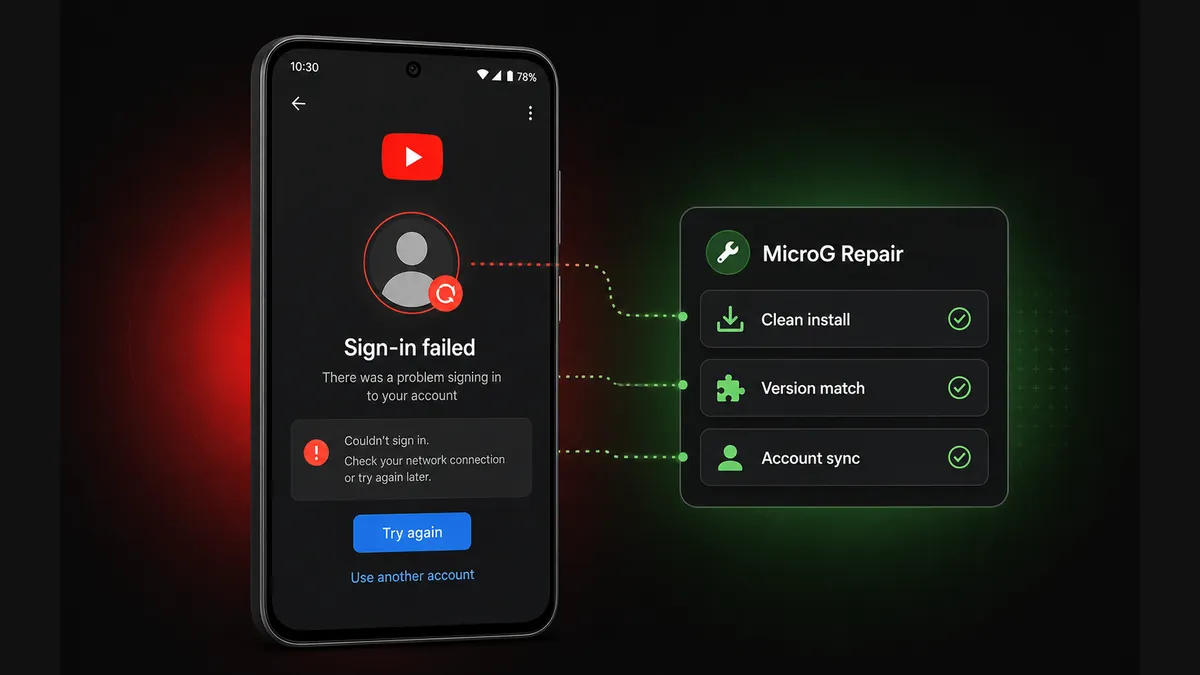
Login loops usually mean the YouTube APK and MicroG helper are not a clean, compatible pair.
Check Latest YouTube Build on MODDROID
Entertainment category · YouTube APK · MicroG login · Version pairing
If your YouTube Premium APK login is not working, but the app still opens, the problem is often not background play, downloads, or ad blocking. It is usually the account layer: MicroG, Google sign-in, stale tokens, or a YouTube/MicroG version mismatch.
This guide is narrower than our general YouTube Premium APK not working guide and our broader YouTube login error fix. Here, we focus only on the MicroG side: sign-in failed, account picker loops, blank login screens, YouTube Music sync issues, and how to reinstall the right pair safely.
This is not about bypassing account security or forcing login through unknown helper files. It is about using a clean, compatible setup when a modified YouTube APK requires MicroG for Google account services.
1
What MicroG Does for YouTube Premium APK
▼
Many modified YouTube APK builds cannot use the normal Google Play Services sign-in flow in the same way the official app does. MicroG works as a lightweight compatibility layer that helps the app connect to Google account services, device registration, and account session handling.
That is why MicroG problems usually look like login problems. The app may open normally, but the account picker loops. You may tap your Google account and return to the same screen. YouTube Music may open but fail to sync the library. A Premium-style feature may appear, but the account session never becomes stable.
If your symptom is only sign-in failed, MicroG login loop, or YouTube APK account not adding, start here before changing unrelated playback settings.
2
Why MicroG Sign-In Fails
▼
Most MicroG login failures come from one of five causes:
- MicroG is missing. The YouTube APK supports Google login, but the helper app was never installed.
- MicroG is outdated. A YouTube update or Android security update expects a newer helper.
- YouTube and MicroG are not from the same compatibility window. The app build and helper build do not match what the release expects.
- Old account tokens are stuck. You updated one app, but stale login data remains in the other.
- Duplicate installs conflict. Official YouTube, older mod builds, clone builds, or multiple helper APKs compete for account state.
The fix is usually not to keep tapping sign-in. The fix is to rebuild the pair cleanly.
3
Best Fix: Reinstall YouTube and MicroG as a Clean Pair
▼
Use this when: the account picker loops, MicroG login fails after an update, YouTube Music cannot sync, or you already mixed multiple APK sources.
Clean pair reinstall order
- Uninstall the current modified YouTube APK.
- Uninstall old MicroG or account-helper APKs tied to the same build.
- Restart your phone once to clear stuck sessions.
- Install the MicroG build recommended by the YouTube APK release notes.
- Install the matching YouTube APK from the same trusted listing.
- Open MicroG first if the release notes require device registration or account setup.
- Open YouTube and sign in once. Avoid switching helper versions after login succeeds.
Tip: Do not install a random newer MicroG just because the number is higher. For sign-in stability, compatibility matters more than the highest version number.
4
How to Recognize YouTube / MicroG Version Mismatch
▼
A mismatch does not always show a clear error message. Watch for these patterns:
- The account picker opens, you select your account, then it returns to the same screen.
- YouTube opens but the profile icon never shows your signed-in account.
- YouTube Music opens but playlists, library, or history do not sync.
- Background play works sometimes, but account-only features fail.
- Clearing YouTube data helps once, then login breaks again after reopening.
If this happens after updating only YouTube or only MicroG, roll back or update both as a pair instead of stacking more helper APKs on top.
5
MicroG Settings Worth Checking
▼
Different MicroG builds expose different settings, but these checks are usually safe:
- Confirm Google device registration is enabled if your build requires it.
- Check whether your Google account appears inside MicroG before opening YouTube.
- Disable battery restrictions for both YouTube and MicroG on aggressive Android skins.
- Turn off VPN or private DNS temporarily while testing sign-in.
- Clear data for both apps if the same old account loop returns after reinstalling.
If a setting name is different on your build, follow the release notes from your APK source rather than a random comment thread.
6
What Not to Do When MicroG Login Fails
▼
When sign-in fails, it is tempting to keep trying random APK combinations. That usually makes the account state messier.
- Do not install helper APKs from unknown comments, shortened links, or unrelated mirrors.
- Do not mix a YouTube APK from one source with MicroG from another source unless compatibility is documented.
- Do not repeatedly enter your Google account into unknown modified copies.
- Do not keep clearing your whole Google account from Android if only one modified app is failing.
- Do not assume every sign-in error means your account is banned.
If many users report the same MicroG login issue on the same day, the safer move is to wait for a compatible build instead of forcing random fixes.
7
Does This Also Fix YouTube Music?
▼
Often, yes. YouTube Music login and library sync use similar account services. If the helper app is outdated or mismatched, regular YouTube may show login loops while YouTube Music shows missing library, empty playlists, or account sync failures.
Use the same clean pair logic: install the MicroG build recommended for your YouTube / Music package family, clear stale data, then sign in once on a stable network.
Remember that some catalog, download, and playback behavior still depends on account region, app build, and server-side availability. MicroG can fix account helper issues, but it cannot guarantee every account-only feature.
Quick MicroG Troubleshooting Table
| Symptom |
Likely cause |
Best next step |
| Account picker keeps looping |
Stale token or mismatched MicroG |
Clear YouTube + MicroG data, reinstall a compatible pair |
| Sign in failed after update |
YouTube updated without matching helper |
Install the MicroG build listed with that YouTube release |
| YouTube Music library empty |
Account sync helper not stable |
Update MicroG, re-add account, test on stable network |
| Login works once then breaks again |
Duplicate installs or battery restrictions |
Remove conflicting builds and disable battery limits |
| All users report login failure |
Server-side or build compatibility change |
Wait for a safer compatible update instead of random APKs |
Verdict: Fix the Pair, Not Just the App
When YouTube Premium APK login is not working, the fastest fix is usually not one more cache clear. It is making sure your YouTube APK and MicroG helper belong together.
Use a trusted listing, follow the recommended install order, avoid random helper builds, and treat MicroG as part of the same package family as the YouTube APK. If the whole release family is currently broken, wait for a compatible update instead of forcing account login through unknown files.
FAQ: YouTube Premium APK and MicroG Login
Do I need MicroG for YouTube Premium APK?
For most modified YouTube APK builds that support Google sign-in, yes. MicroG acts as the account helper. Without a compatible MicroG build, sign-in may fail or loop.
Why is my YouTube MicroG login looping?
Usually because MicroG is outdated, YouTube and MicroG do not match, old account data is stuck, or duplicate YouTube installs are conflicting. Reinstall YouTube and MicroG as a clean compatible pair.
Should I install MicroG before or after YouTube APK?
Install the recommended MicroG first, then install the matching YouTube APK. If you already mixed versions, uninstall both, reboot, install MicroG, install YouTube, then sign in again.
What does YouTube / MicroG version mismatch mean?
It means the YouTube APK, MicroG helper, patch family, or account service state no longer matches what the build expects. Login may loop, Music may not sync, or account-only features may fail.
Is MicroG safe to use with YouTube APK?
Use MicroG only from a trusted release source that documents compatibility with your YouTube APK. Avoid random helper APKs from comments, shortened links, or unknown mirrors.
Does MicroG fix YouTube Music login too?
Often yes, because YouTube Music uses similar account helper behavior. If Music login or library sync fails, clean reinstall the same YouTube/MicroG-compatible pair and re-add your account.
Related on MODDROID
Need a fresh compatible build? Check the latest YouTube listing on MODDROID before reinstalling MicroG.
Check Latest YouTube Build on MODDROID